AI Image Enhancer: Create Effective Content Fast
Sharpen blurry images, fix low-light noise, and bring out hidden detail with our free AI image enhancer. Upload your photo and the model analyses exposure, clarity, and colour balance simultaneously — delivering a visibly sharper result in under five seconds. No Lightroom subscription, no signup wall, no watermark on download.
Upload an image to enhancer it with AI
Drag and drop or click to upload
Supports JPG, PNG, WebP, HEIC
Got the result? Now turn that video into viral Shorts
ToolXP Clips auto-clips the best moments with AI captions
How to use AI Image Enhancer
Three simple steps to get professional-grade results. Our AI handles the heavy lifting so you can focus on what matters.
Upload your photo
Drag and drop any JPG, PNG, or WebP file up to 20MB. The system accepts smartphone shots, DSLR exports, and screenshots equally well.
AI analyses and enhances
The model detects blur type, ISO noise, exposure errors, and colour casts simultaneously — then applies targeted corrections for each issue in a single processing pass.
Download the enhanced photo
Preview the side-by-side comparison in the browser, then download your sharpened, noise-reduced photo as a full-resolution JPEG or PNG. No watermark, no account needed.
AI Image Enhancer Features
The more detail you add, the more control you'll have over the final output. Use a mix of the elements below to create results that better reflect your imagination.
How others are using AI Image Enhancer — real results from real creators.
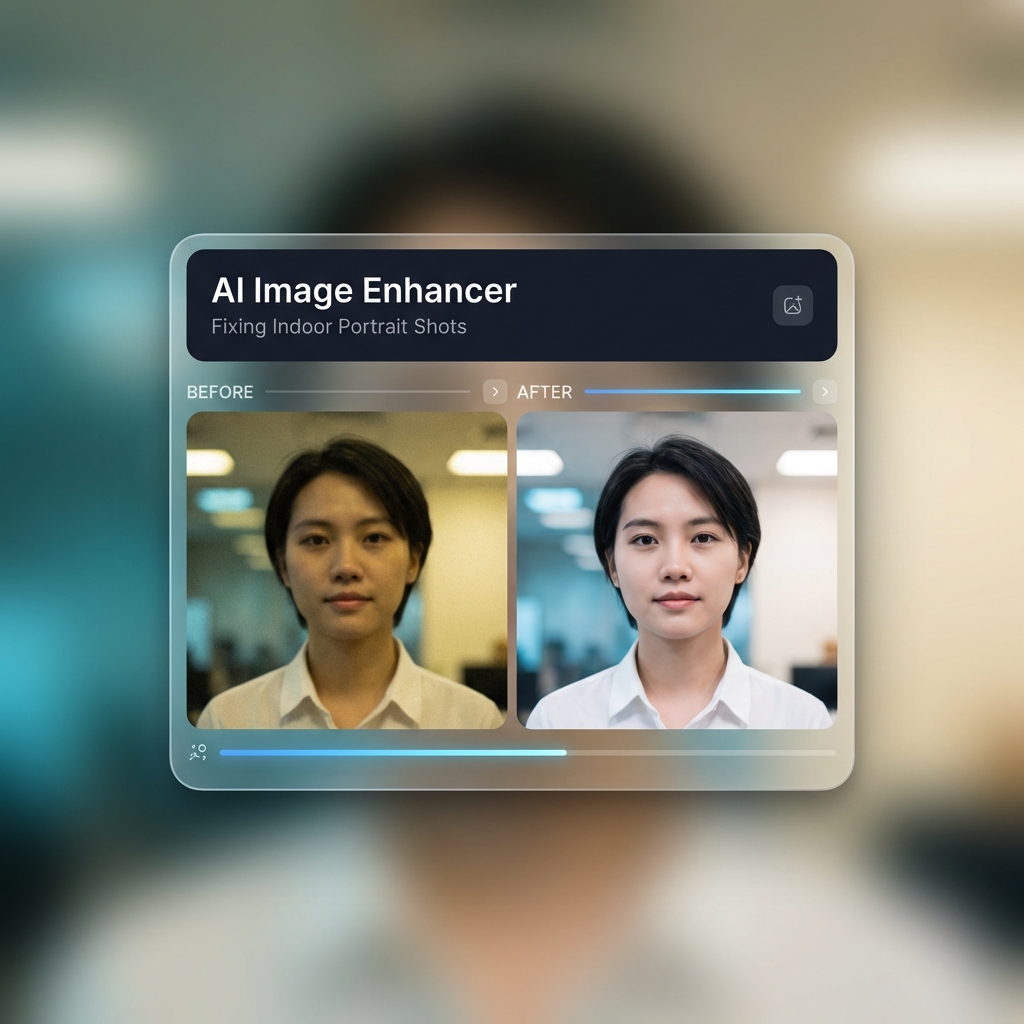
Fixing Indoor Portrait Shots
Took a headshot under office fluorescent lighting and ended up with a soft, slightly yellow-tinted result? The AI corrects the white balance, sharpens the eye and hair detail, and reduces the muddy ISO noise — usually in under four seconds.
Result: Soft indoor headshot → sharp portrait with corrected colour temperature, ready for LinkedIn
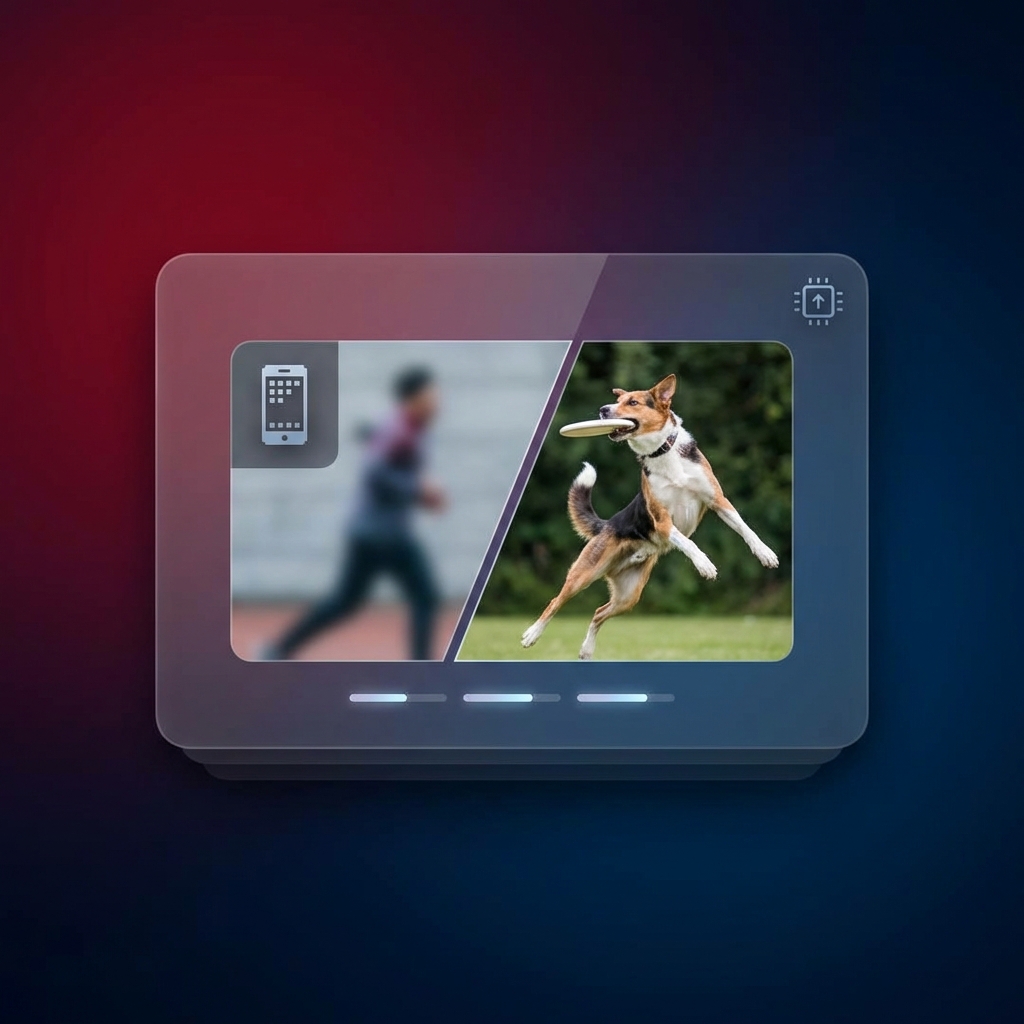
Result: Blurry 1080p action shot → crisp 1080p with recovered subject edges, no over-sharpening artefacts
Rescuing Blurry Action Photos
Smartphone cameras often fail at capturing fast movement like kids running or pets jumping without blur. The motion-blur correction model recovers edge sharpness without adding artificial HDR halos around the subject.
Turn any long video into viral Shorts
ToolXP Clips uses AI to find the best moments, add captions, and export vertical clips. Free to start.
Tips for better AI Image Enhancer results
Get the most out of AI Image Enhancer with these practical tips from our team and power users.
Who uses AI Image Enhancer
From solo creators to marketing teams, AI Image Enhancer fits into every content workflow.
How AI Image Enhancer compares
See why creators choose ToolXP over other options. We offer faster processing, better output quality, and zero cost — no strings attached.
Try it free| Feature | ToolXP | Adobe Lightroom (Auto) | Topaz Photo AI |
|---|---|---|---|
| Price | Free | $9.99/mo (Photography Plan) | $199 one-time or $99/yr |
| Signup required | |||
| AI-powered | |||
| Export quality | HD / 4K | Full res | Full res |
| Batch processing | |||
| Commercial use |
Want the full suite? Try ToolXP Clips
AI auto-clipping • Animated captions • 2K export • No watermark (Pro) • Starting free
What creators say
Real use cases from creators using AI Image Enhancer in their workflow.
I had a client headshot that was slightly soft through the eyes — not something I'd usually deliver. Ran it through ToolXP Enhancer in about four seconds and the sharpness came right back. Saved me re-booking the session. Absolutely no watermark on the download either.
I sell handmade goods and always photograph products at my desk under a lamp. The shots come out warm and soft every time. The AI corrects the colour temp and sharpens the stitching detail in my products without me needing Lightroom. Huge time saver for a one-person business.
Frequently asked questions
Everything you need to know about AI Image Enhancer. If you have additional questions, reach out to our support team.
Contact supportMore tools
Explore our other free utilities designed for content creators.
Start using AI Image Enhancer
Discover what's possible when AI meets your creativity.
Use AI Image Enhancer
Sharpen blurry images, fix low-light noise, and bring out hidden detail with our free AI image enhan… No signup required.
GoCreate viral Shorts with Clips
AI-powered long-to-shorts clipper. Auto-find best moments, add captions, export in vertical. Free to start.
Start clipping