AI Photo Recolor: Create Effective Content Fast
Transform greyscale and black-and-white photographs into full colour using AI — free, instantly, and without creating an account. Upload a vintage portrait, a historical image, or a classic film still and the neural network assigns realistic colour to every element in the scene in seconds.
Upload an image to recolor it with AI
Drag and drop or click to upload
Supports JPG, PNG, WebP, HEIC
Got the result? Now turn that video into viral Shorts
ToolXP Clips auto-clips the best moments with AI captions
How to use AI Photo Recolor
Three simple steps to get professional-grade results. Our AI handles the heavy lifting so you can focus on what matters.
Upload your black and white photo
Drop any greyscale JPEG or PNG up to 20MB. Works on vintage portraits, landscapes, street photography, and film stills from any decade.
AI assigns realistic colours
The model analyses scene elements — skin tones, sky, foliage, clothing, architecture — and assigns historically plausible colours to each based on training data from millions of colour photographs.
Download the colourised photo
Inspect the colour result in the split-screen preview, then download the full-resolution colourised JPEG as your final file — no watermark, no account required.
AI Photo Recolor Features
The more detail you add, the more control you'll have over the final output. Use a mix of the elements below to create results that better reflect your imagination.
How others are using AI Photo Recolor — real results from real creators.
Colourising a 1940s Portrait
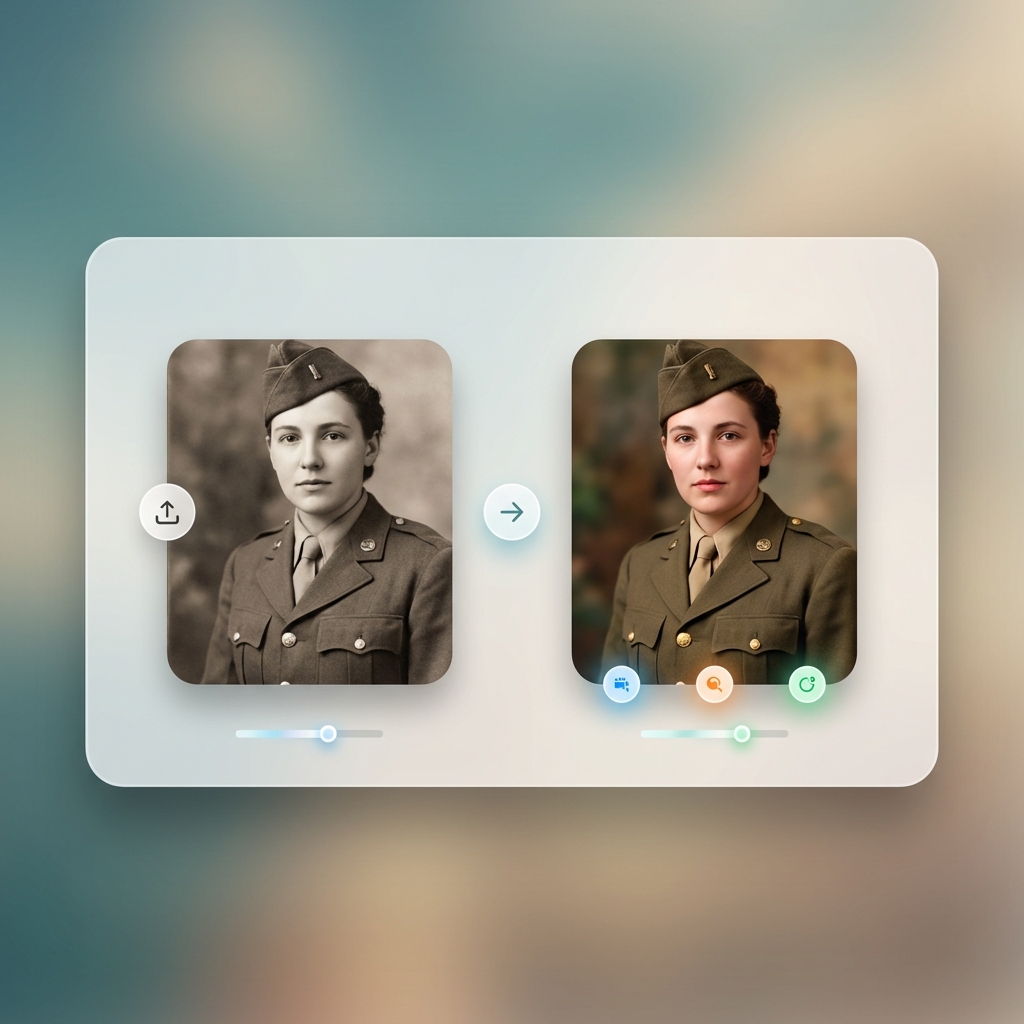
Upload a wartime-era portrait and the model identifies the likely uniform colour, skin tone, and background setting to assign a realistic period-accurate palette — a significantly better result than manually guessing each zone's colour in Photoshop.
Result: 1943 greyscale officer portrait → plausible period-accurate colour — olive uniform, fair complexion
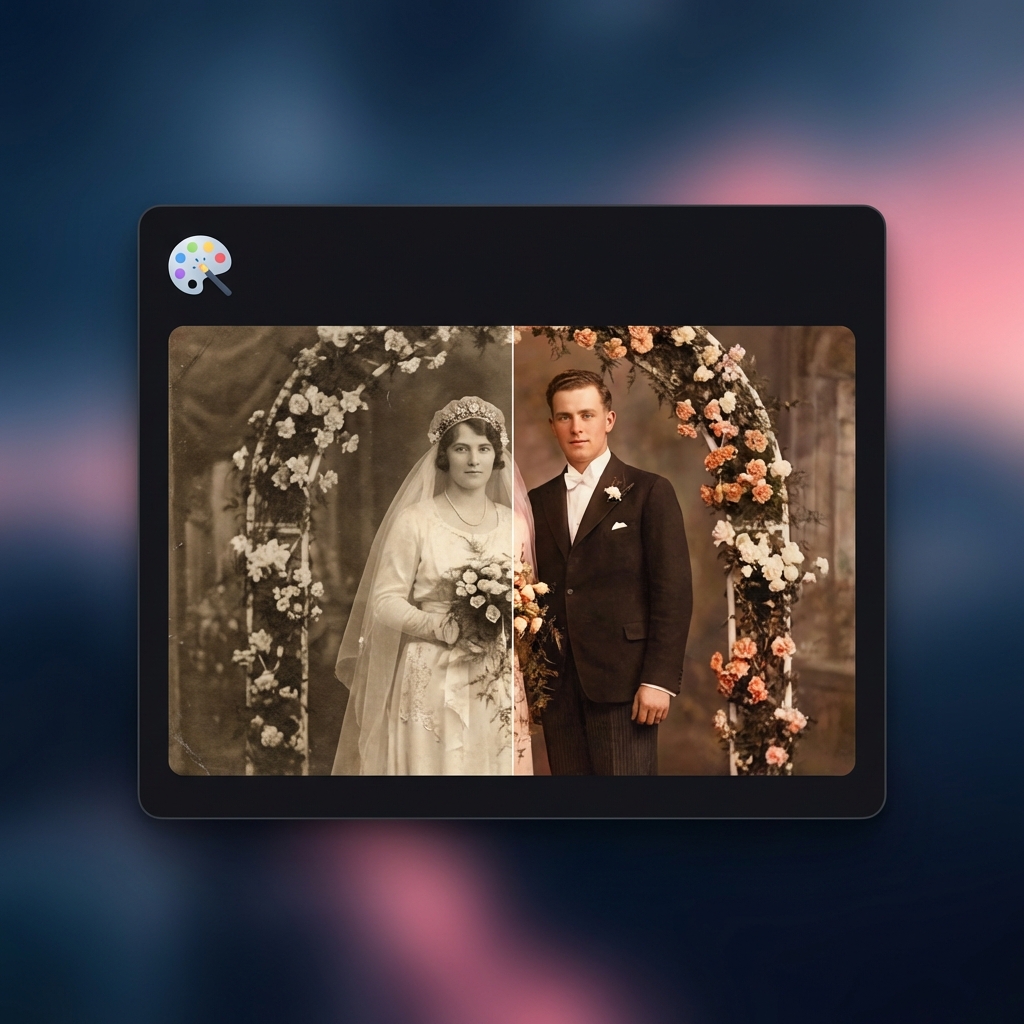
Result: 1958 black-and-white wedding portrait → natural colour with period-appropriate dress and décor palette
Bringing Family History to Life
Colourising grandparents' wedding photos produces a striking visual for family history presentations, anniversary gifts, and ancestry project blogs — more emotionally impactful than the greyscale original.
Turn any long video into viral Shorts
ToolXP Clips uses AI to find the best moments, add captions, and export vertical clips. Free to start.
Tips for better AI Photo Recolor results
Get the most out of AI Photo Recolor with these practical tips from our team and power users.
Who uses AI Photo Recolor
From solo creators to marketing teams, AI Photo Recolor fits into every content workflow.
How AI Photo Recolor compares
See why creators choose ToolXP over other options. We offer faster processing, better output quality, and zero cost — no strings attached.
Try it free| Feature | ToolXP | MyHeritage Colorize | Palette.fm |
|---|---|---|---|
| Price | Free | Free (watermarked); subscription from $12.99/mo | Free (limited palettes); Pro from $4/mo |
| Signup required | |||
| AI-powered | |||
| Export quality | HD / 4K | HD (paid only) | Full res |
| Batch processing | |||
| Commercial use |
Want the full suite? Try ToolXP Clips
AI auto-clipping • Animated captions • 2K export • No watermark (Pro) • Starting free
What creators say
Real use cases from creators using AI Photo Recolor in their workflow.
I colourised 12 portraits for my grandmother's ancestry album. MyHeritage kept adding a watermark to every free download. ToolXP gave me clean full-resolution colourised versions instantly with no account. The skin tones on 1950s portrait lighting look genuinely convincing.
I create historical explainer videos and need colourised archive images for thumbnails. This produces results in about 10 seconds per image and the quality is consistent enough for YouTube thumbnails. No Palette.fm subscription needed, no signup at all.
Frequently asked questions
Everything you need to know about AI Photo Recolor. If you have additional questions, reach out to our support team.
Contact supportMore tools
Explore our other free utilities designed for content creators.
Start using AI Photo Recolor
Discover what's possible when AI meets your creativity.