AI Photo Restore: Create Effective Content Fast
Bring faded, scratched, and damaged old photos back to life using AI. Upload a scanned print, a torn photograph, or a worn-out family snapshot — the neural network repairs creases, removes dust spots, fixes exposure, and sharpens faces in seconds. Free, no signup, no watermark.
Upload an image to photo restore it with AI
Drag and drop or click to upload
Supports JPG, PNG, WebP, HEIC
Got the result? Now turn that video into viral Shorts
ToolXP Clips auto-clips the best moments with AI captions
How to use AI Photo Restore
Three simple steps to get professional-grade results. Our AI handles the heavy lifting so you can focus on what matters.
Upload the damaged photo
Scan your old print at 600 DPI or higher for best results, then upload the JPEG or PNG file up to 20MB. The higher the scan resolution, the better the restoration output.
AI repairs damage automatically
The model simultaneously detects and corrects physical damage — creases, scratches, dust spots, foxing — and digital issues like fading, colour loss, and blur from age or poor scanning.
Download the restored photo
Preview the side-by-side before and after comparison, then download the repaired version at full resolution as a JPEG or PNG — ready for printing or digital archiving.
AI Photo Restore Features
The more detail you add, the more control you'll have over the final output. Use a mix of the elements below to create results that better reflect your imagination.
How others are using AI Photo Restore — real results from real creators.
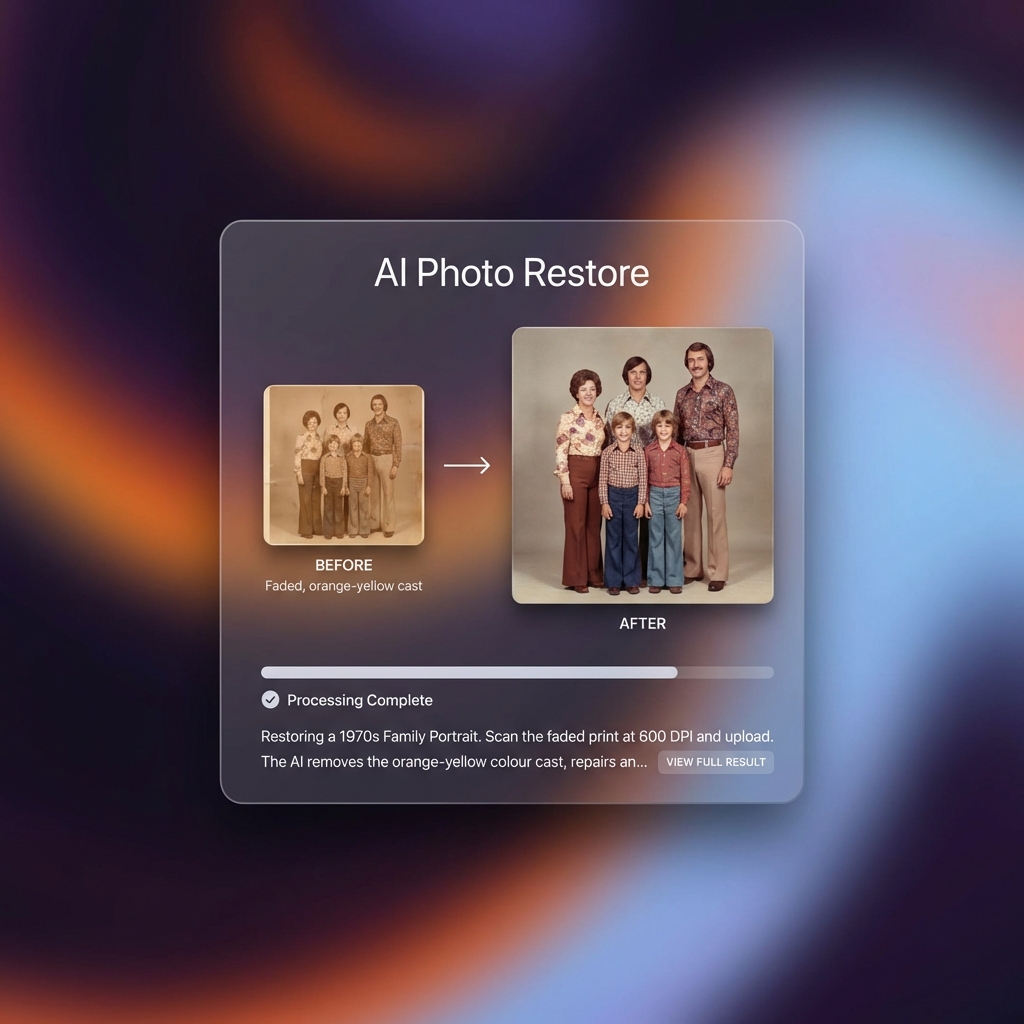
Restoring a 1970s Family Portrait
Scan the faded print at 600 DPI and upload. The AI removes the orange-yellow colour cast, repairs any fold crease from storage, sharpens the faces, and outputs a version that looks close to what the photo looked like when it was first developed.
Result: 1972 faded group photo → balanced colour, sharp faces, crease removed — print-ready at 8×10
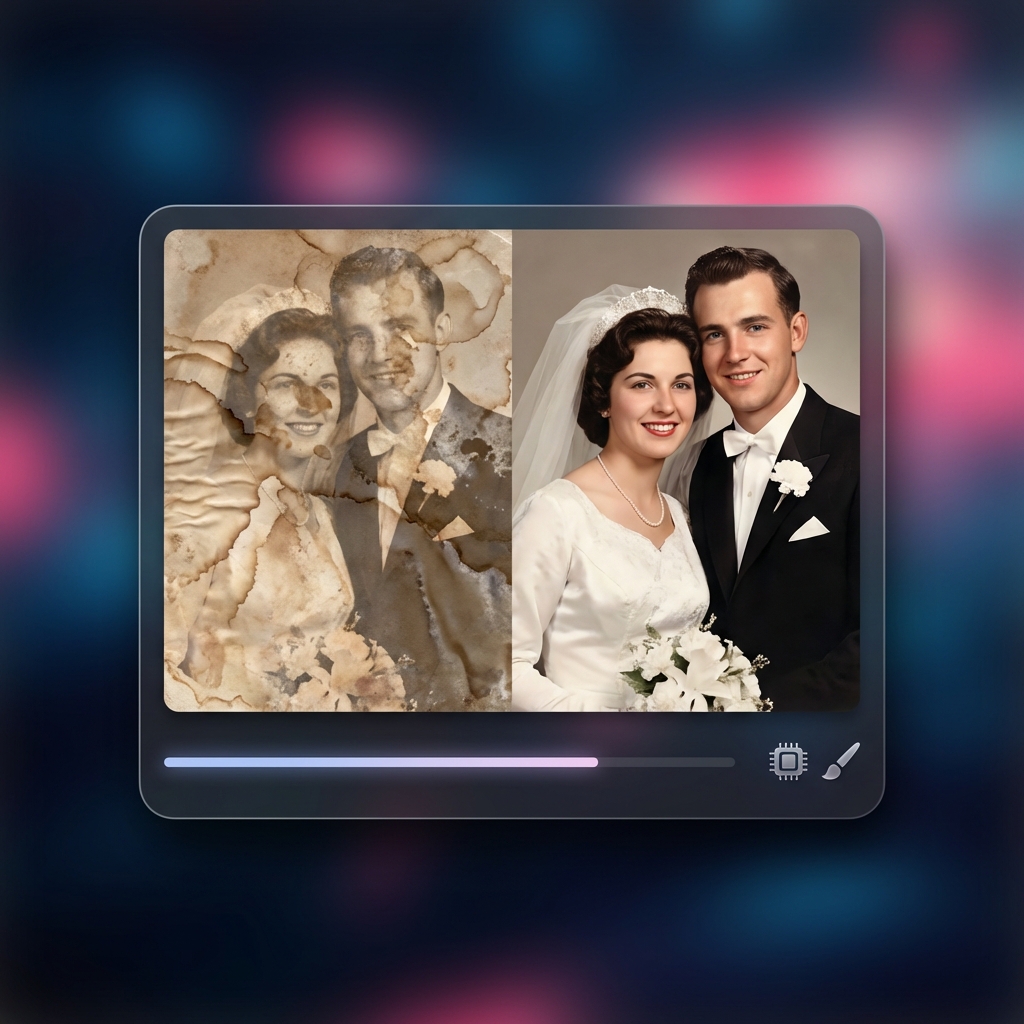
Result: Water-stained 1989 wedding portrait → clean tones, facial features recovered
Repairing Water-Damaged Wedding Photos
Water damage creates tide-mark stains and mottled discolouration across the surface of prints. The restoration model detects the damage pattern and reconstructs the colour and tone underneath it.
Turn any long video into viral Shorts
ToolXP Clips uses AI to find the best moments, add captions, and export vertical clips. Free to start.
Tips for better AI Photo Restore results
Get the most out of AI Photo Restore with these practical tips from our team and power users.
Who uses AI Photo Restore
From solo creators to marketing teams, AI Photo Restore fits into every content workflow.
How AI Photo Restore compares
See why creators choose ToolXP over other options. We offer faster processing, better output quality, and zero cost — no strings attached.
Try it free| Feature | ToolXP | MyHeritage Photo Enhancer | Remini |
|---|---|---|---|
| Price | Free | Free (watermarked); subscription from $12.99/mo | Free (3 credits/day); Pro $9.99/mo |
| Signup required | |||
| AI-powered | |||
| Export quality | HD / 4K | HD (paid only) | HD (limited free) |
| Batch processing | |||
| Commercial use |
Want the full suite? Try ToolXP Clips
AI auto-clipping • Animated captions • 2K export • No watermark (Pro) • Starting free
What creators say
Real use cases from creators using AI Photo Restore in their workflow.
I had my parents' 1965 wedding photo — faded yellow with a crease across the middle. MyHeritage put a watermark on the free download. ToolXP gave me the full-resolution restored version instantly with no account and no watermark. We had it reprinted as an anniversary gift and it looks incredible.
I restore vintage photos for my family history research. Running 20-30 scans through Remini would exhaust the free daily limit in minutes. ToolXP handles as many as I need in a session without any credit cap. The face detail recovery on 1940s portrait shots is genuinely impressive.
Frequently asked questions
Everything you need to know about AI Photo Restore. If you have additional questions, reach out to our support team.
Contact supportMore tools
Explore our other free utilities designed for content creators.
Start using AI Photo Restore
Discover what's possible when AI meets your creativity.