YouTube Clip Cutter: Trim Any Video Segment and Download It
Cut any YouTube video down to the exact segment you need. Paste the URL, set your start and end timestamps, and download the trimmed clip as an MP4 file — no signup, no watermark, no desktop software required. Works for tutorials, interviews, podcasts, music videos, and live stream recordings.
Paste YouTube URL to cut a clip
Need to clip entire videos into viral Shorts?
ToolXP Clips auto-clips the best moments with AI captions
How to use YouTube Clip Cutter
Three simple steps to cut any YouTube video segment. Paste, trim, download.
Paste the YouTube video URL
Copy the URL from your browser address bar, the YouTube share button, or mobile app. Paste it into the input field above. The video loads instantly with a playback preview so you can find the exact moment you want.
Set your start and end times
Drag the timeline handles or type exact timestamps (e.g. 01:23 to 04:56) to mark the segment you want to keep. Preview the selected range before cutting to make sure you have the right section.
Download the trimmed clip
Hit Cut and the tool extracts your selected segment as a standalone MP4 file. Downloads start automatically — no redirect, no ad wall, no account signup between you and your clip.
YouTube Clip Cutter Features
Everything you need to extract precise segments from any YouTube video, without installing software or creating an account.
How others are using YouTube Clip Cutter — real results from real creators.
Extracting a Key Tutorial Step
You found a 45-minute Photoshop tutorial and only need the 2-minute section on layer masking. Paste the video URL, set the timestamps around that specific section, and download just the part you need — instead of bookmarking the full video and scrolling every time.
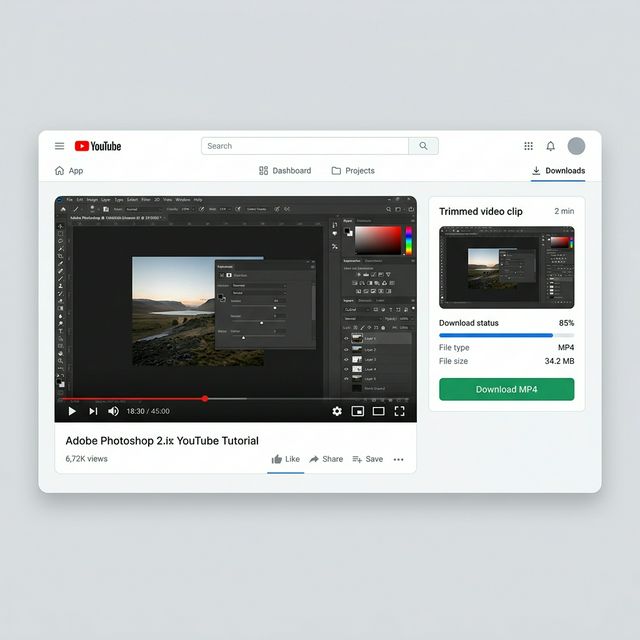
Use case: 45-minute tutorial → extract 2-minute layer masking section as standalone MP4
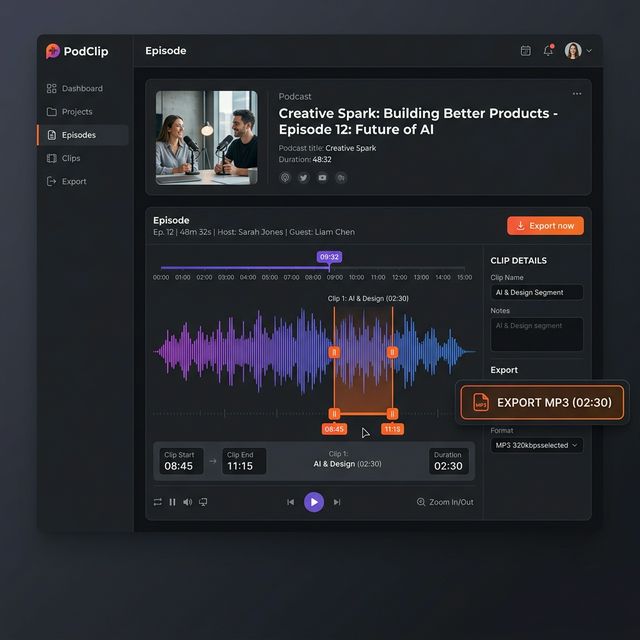
Use case: 90-minute podcast → clip 30-second guest quote as MP3 for social sharing
Saving a Podcast Quote for Social
A guest on a 90-minute podcast dropped a 30-second quote you want to share. Set the start and end around that moment, toggle audio-only mode, and download the soundbite as MP3 — ready to post on Twitter, LinkedIn, or your newsletter.
Turn any long video into viral Shorts
ToolXP Clips uses AI to find the best moments, add captions, and export vertical clips. Free to start.
Tips for better YouTube Clip Cutter results
Get the most out of YouTube Clip Cutter with these practical tips from our team and power users.
Who uses YouTube Clip Cutter
From solo creators to marketing teams, YouTube Clip Cutter fits into every content workflow.
How YouTube Clip Cutter compares
See why creators choose ToolXP over other options. We offer faster processing, better output quality, and zero cost — no strings attached.
Try it free| Feature | ToolXP | Cutter.yt | ClipsCutter.com |
|---|---|---|---|
| Price | Free | Free (ad-heavy, pop-ups) | Free (SD only, HD requires signup) |
| Signup required | |||
| AI-powered | |||
| Export quality | HD / 4K | Up to 720p | SD free / HD paid |
| Batch processing | |||
| Commercial use |
Want the full suite? Try ToolXP Clips
AI auto-clipping • Animated captions • 2K export • No watermark (Pro) • Starting free
What creators say
Real use cases from creators using YouTube Clip Cutter in their workflow.
I needed a 45-second clip from a 2-hour interview for my Instagram page. Every other tool I tried either capped me at 360p or made me create an account first. ToolXP let me paste the link, set my timestamps, and download the segment in 1080p. Took about 30 seconds total.
Our agency reviews competitor YouTube ads weekly. Instead of screen-recording 15 different videos and trimming them in Premiere, I paste each URL into ToolXP and download only the segments we need. Cut our ad analysis prep time from 2 hours to about 20 minutes.
Frequently asked questions
Everything you need to know about YouTube Clip Cutter. If you have additional questions, reach out to our support team.
Contact supportMore tools
Explore our other free utilities designed for content creators.
Start using YouTube Clip Cutter
Discover what's possible when AI meets your creativity.
Use YouTube Clip Cutter
Cut any YouTube video to the exact segment you need. Set start and end times, download as MP4 or MP3. No signup required.
GoCreate viral Shorts with Clips
AI-powered long-to-shorts clipper. Auto-find best moments, add captions, export in vertical. Free to start.
Start clipping